
Context: the rule is short, the work is not
Ask most teams how they handle WhatsApp opt-in and you hear one of two answers. “We have a checkbox somewhere.” Or “people message us first, so we’re fine.” Neither is a system.
Meta’s own rule fits in two lines. Under the WhatsApp Business Messaging Policy, you may contact people on WhatsApp if (a) they have given you their mobile number and (b) they have given you opt-in permission confirming they want to receive messages or calls from your business. Since the November 2024 policy update, that opt-in can be general rather than WhatsApp-specific, as long as you comply with local law.
Meta’s developer page on getting opt-in sets three requirements:
- Clearly state that the person is opting in to receive communication from your business
- Clearly state your business name
- Comply with applicable law
That’s it. Meta leaves the method up to you and lists SMS, a website, an IVR phone flow, or in person on paper as supported examples. The policy also says something that matters even more day to day: you must respect every request to block, stop or opt out of your WhatsApp messages, whether it reaches you on WhatsApp or anywhere else.
UnifiedSend is a WhatsApp Business messaging platform for campaigns, shared inbox, AI replies, storefront, bookings and payments. Every one of those relies on people who actually want to hear from you. This guide is about keeping that true once you have thousands of contacts and several people sending.
Problem: consent lives in five places and nobody owns it
The policy is simple. The mess comes from where consent gets recorded and how opt-outs arrive.
A typical business collects numbers through a checkout form, a booking page, a Click-to-WhatsApp ad, a sales rep’s spreadsheet and the shop counter. Each source records consent differently, or not at all. Then opt-outs start coming back through just as many doors:
- Someone replies “STOP” to a campaign, and the reply sits unread in the shared inbox
- Someone types “please stop messaging me” in a full sentence that no keyword rule catches
- Someone taps Stop promotions on a marketing template
- Someone turns off marketing messages from your business inside WhatsApp itself
- Someone emails support or tells a rep on the phone that they want out
Meta’s policy treats all of these the same way. An opt-out is an opt-out, on or off WhatsApp.
Getting this wrong costs you in a few places. Meta’s opt-in page notes that people can give feedback, stop marketing messages, block or report a business, and that Meta will rate limit businesses whose quality stays low for a sustained period. Meta also says it may review a business’s opt-in flows reactively, using user feedback, to flag policy violations. Blocks and reports feed your quality rating, which we covered in our template quality guide, and quality affects how freely you can send.
Then there is the law. Meta’s policy sits on top of local rules, not instead of them. In the UK, the ICO’s PECR guidance says you must not send electronic marketing to individuals without specific consent, apart from the limited “soft opt-in” for existing customers who were offered a simple opt-out at collection and in every message since. The ICO reads “electronic mail” broadly enough to cover direct messages. This isn’t legal advice, but it is a good reason to keep proper records.
And there’s a quieter cost. Every marketing message to someone who already opted out inside WhatsApp simply fails, and you can’t see why unless you are reading the error codes.
Insight: treat consent like stock, with one ledger
Teams that handle this well treat consent like stock in a warehouse. It comes in through known doors, goes out through known doors, and there is one ledger everyone trusts.
1. Collect opt-in that sets real expectations
Meta’s helpful tips are worth reading as a checklist. People should expect the messages they get. Meta suggests getting opt-in that covers the kinds of messages you plan to send (order updates, relevant offers, product recommendations), or getting separate opt-in by message category. It also asks you to explain the value of the messages and to watch your quality rating when you launch a new opt-in method.
In practice, good opt-in copy reads something like:
“Yes, send me order updates and occasional offers from [Business name] on WhatsApp. I can opt out at any time.”
Respond.io’s guide adds: don’t force someone to opt in just to finish a purchase. AiSensy’s adds the ones people still get wrong: no bought lists, no scraped numbers, and no messaging people who gave their number for a different purpose.
Good collection points:
- A checkout or booking checkbox, unticked by default, with your business name in the text
- A Click-to-WhatsApp ad, QR code or chat link, followed by an explicit opt-in question in the chat
- A support chat the customer started, where you ask if they want future updates
- In person or on paper, logged the same day
For each opt-in, store the date, source, wording and scope (service, marketing, or both).
2. Know the difference between a reply window and opt-in
When a customer messages you first, a 24-hour customer service window opens and you can reply freely inside it. Respond.io notes you can keep that conversation going without a separate opt-in. That is not permission to send marketing templates next month. Answer the question, then ask if they want updates. We explain the window itself in our 24-hour messaging window guide.
3. Map every opt-out door
There are two kinds of opt-out, and they behave differently.
Opt-outs that WhatsApp enforces for you. A person can stop marketing messages from your business inside WhatsApp. When that happens, Meta’s error code reference says marketing messages to them fail with error 131050: “This recipient has chosen to stop receiving marketing messages on WhatsApp from your business.” Meta’s advice is direct: don’t retry, because they won’t be received. To hear about these changes as they happen, subscribe to the user_preferences webhook, which fires with stop or resume when a user stops or resumes marketing messages.
One catch: Meta notes it does not fire when someone taps Interested or Not interested in the Offers and announcements setting. It covers stop and resume only.
Opt-outs you have to catch yourself. Keywords and plain-language requests reach you as ordinary inbound messages. Nothing stops your next campaign unless you act on them. This is where BSP guides converge:
- Wati’s help centre shows adding a “Stop” quick reply to templates, then a rule that sets the contact’s campaign permission to false when that exact keyword arrives, with a confirmation reply and START to resubscribe
- Interakt and Dotdigital describe keyword opt-outs such as STOP, UNSUBSCRIBE and CANCEL, with START or RESUBSCRIBE to come back
- Klaviyo lets you choose between “contains word” and “exact match” for opt-out keywords, and warns that “contains” can catch a message like “I want to cancel my order”
Exact matching misses “please stop texting me”. Loose matching opts out a customer who only wanted to cancel an order. Whichever you choose, have a person review the borderline cases.
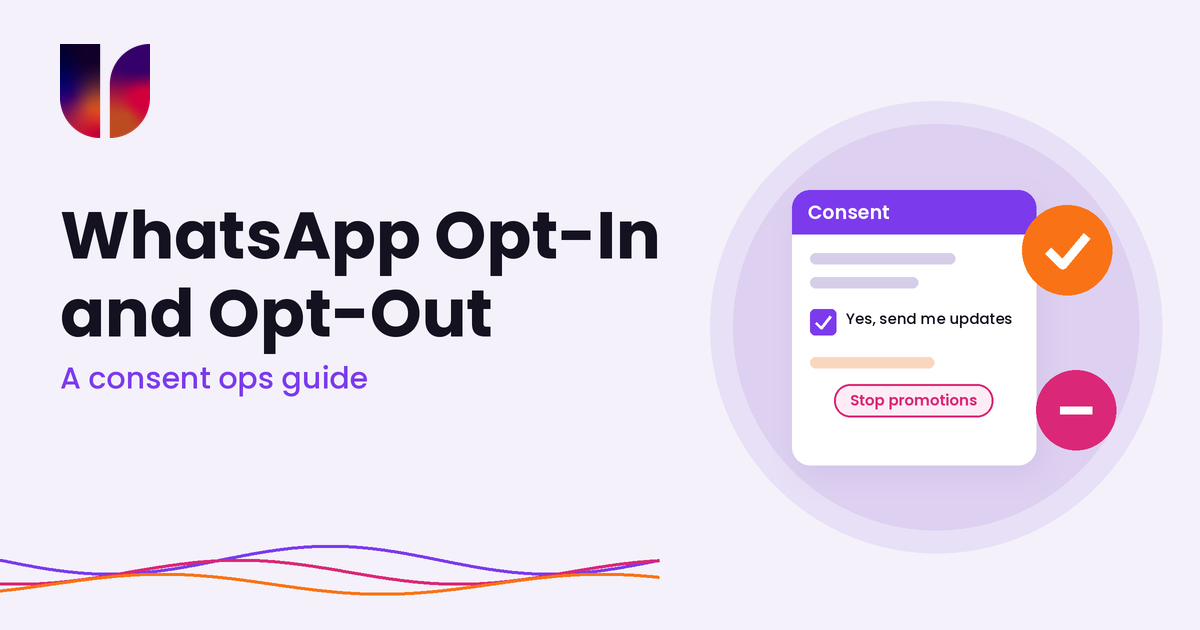
The Stop promotions button. Marketing templates can carry a marketing opt-out quick reply. BSP documentation from Genesys and Dotdigital describes it: the button text is “Stop promotions”, WhatsApp adds the footer “Not interested? Tap Stop promotions”, and you can’t edit either. It is your job to stop marketing to anyone who taps it. Dotdigital suggests adding it to the first message someone gets, the first message after a long gap, and messages to unengaged contacts.
4. Keep marketing and service consent separate
An opt-out from WhatsApp’s own marketing control blocks marketing templates. Error 131050 is about marketing messages, so your order updates and one-time passcodes are a different matter. Keep two flags on every contact: marketing consent and service messages. A person who says no to offers may still want to know their parcel is late. Just make sure that “utility” really is utility. Meta checks categories, and we covered why in our message category pricing guide.
If someone asks you to stop everything, stop everything. Meta’s policy asks you to respect requests to discontinue communications from you via WhatsApp, including removing the person from your contacts list.
5. Don’t confuse 131050 with 131049
131049 looks similar but means a message wasn’t delivered “to maintain healthy ecosystem engagement”, tied to per-user marketing limits. Meta says wait at least 24 hours before resending. That is a frequency signal, not an opt-out. 131050 is the person’s choice, so suppress until they resume.
How this fits into UnifiedSend
Inside a WhatsApp workspace such as UnifiedSend, consent should sit right next to the contact, the campaign and the conversation, not in a separate spreadsheet. The habits that matter:
- Every contact carries its opt-in source, date and scope before it joins a campaign audience
- STOP replies and “please stop” messages are picked up by someone in the shared inbox the same day, and the contact is updated
- Marketing failures with 131050 are treated as opt-outs, not retried
- Campaign audiences exclude anyone without marketing consent at send time, not just at import
- Service flows such as bookings and payment confirmations keep working for people who only opted out of offers
Be clear about who decides what.
What sits with your team
- How you collect opt-in and what the wording says
- Recording consent and honouring every opt-out, however it arrives
- Complying with local law, such as PECR and UK GDPR in the UK
- Choosing what counts as marketing versus service
What sits with Meta
- The WhatsApp Business Messaging Policy and how it is enforced
- The in-app marketing controls, the Stop promotions button and error 131050
- Quality ratings, rate limits and per-user marketing limits
UnifiedSend can help you keep consent, campaigns and conversations in one place. It can’t collect valid consent on your behalf, tell you whether your wording is legal, or overrule a choice a customer made inside WhatsApp.
Outcome: smaller lists that actually listen
When consent runs as a daily habit rather than a one-off form, a few things change.
Campaigns go to people who asked for them, so fewer people block or report you and your quality rating holds steady. Opt-outs are honoured the same day, whichever door they came through, so nobody gets the “I told you to stop” message that turns into a report. 131050 is read as a decision, not a glitch. Service messages keep flowing to customers who only turned off offers. And if anyone asks where a contact came from, you have the answer.
Plenty of BSP help pages explain how to set up a STOP keyword. Fewer show how opt-in wording, keyword rules, the Stop promotions button, the user_preferences webhook and error codes join up into one daily routine. That is the gap UnifiedSend is built for: campaigns, shared inbox, AI replies, storefront, bookings and payments running on an audience that wants to hear from you.
If you want cleaner lists and fewer surprises in your error logs, try UnifiedSend and run your next campaign on consent you can stand behind.
Leave a Reply