
Most teams treat WhatsApp template approval like a finish line.
The template is approved. The campaign is queued. Everyone assumes the hard part is over.
That is the wrong model.
Approval only means Meta will let you send that copy. It does not mean recipients will tolerate it, that the template will stay sendable, or that a bad blast will leave the rest of your messaging stack untouched. WhatsApp template quality rating is the layer that sits after approval — and it is where a lot of production campaigns quietly die.
If you operate WhatsApp for real customer work, template quality is not a dashboard curiosity. It is an operations constraint.
Template quality is not number quality
This is the mix-up that creates the wrong incident response.
WhatsApp tracks at least two separate scores:
- Number quality — how people have received messages from a business phone number over roughly the last seven days. It shapes account health and how messaging limits can grow.
- Template quality — how people have received that specific approved template, based on usage, feedback, and engagement signals such as negative responses and low read rates.
They can diverge.
A single aggressive marketing template can go Yellow or Red while your utility templates stay Green and the number still looks healthy. If you respond by shutting the whole WhatsApp Business Account, you punish the parts that were working. If you ignore the Red template and keep blasting it, you invite pause, disable, and eventually number-level pain.
Operator rule: when quality slips, identify which score moved before you change anything.
What Green, Yellow, Red and Unknown mean
For approved templates, Meta surfaces a quality score through WhatsApp Manager and the Template API (quality_score).
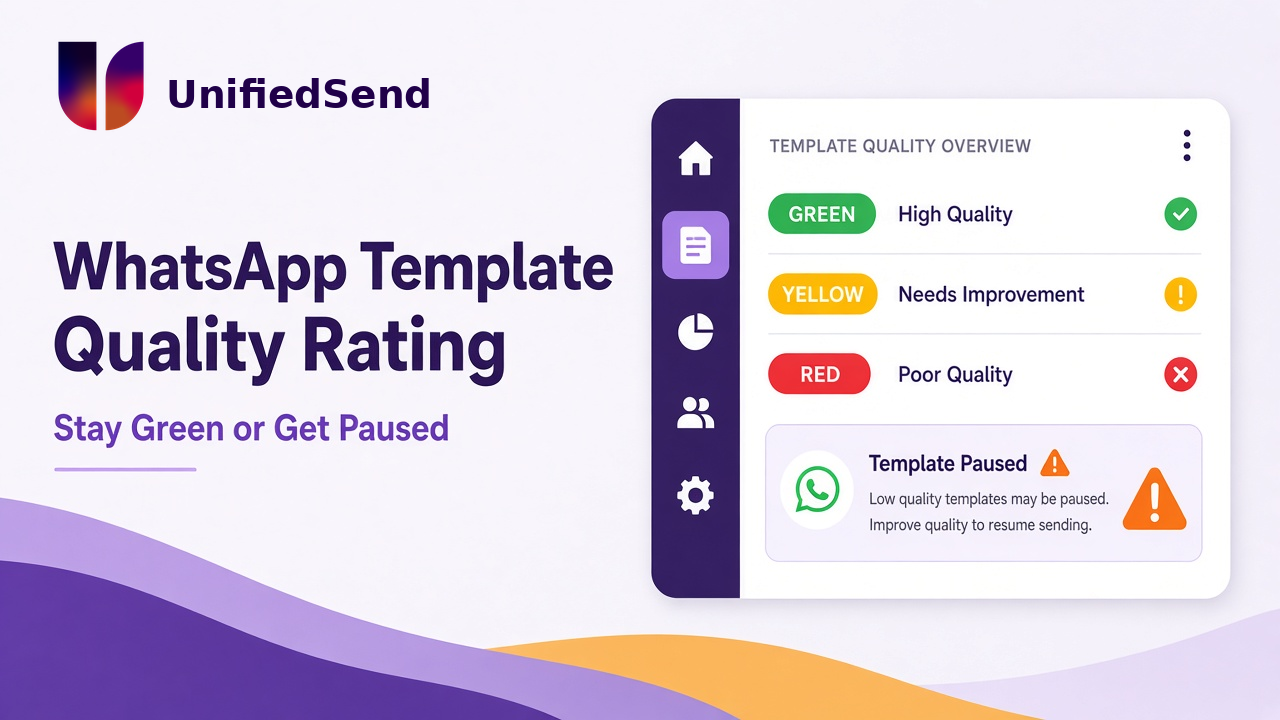
- GREEN — high quality. Little to no negative feedback. Send normally.
- YELLOW — medium quality. Negative feedback or low read rates. Still sendable, but close to pause or disable risk.
- RED — low quality. Significant negative feedback or low read rates. Still sendable for now, but in danger of being paused or disabled soon.
- UNKNOWN — not enough feedback or read-rate data yet. New templates start here. Still sendable.
In WhatsApp Manager those map to labels like Active – High quality, Active – Medium quality, Active – Low quality, and Active – Quality pending.
The important operational detail: colour is not the same as status. A Red template can still be Active and sendable. The campaign does not fail on colour alone. It fails when status flips to Paused or Disabled and your send API starts rejecting requests mid-run.
What actually pauses a template
When a template hits the lowest quality rating (Active – Low quality / RED), Meta can pause it to protect the phone numbers that used it.
Meta’s published pause ladder:
- First instance — paused for 3 hours
- Second instance — paused for 6 hours
- Third instance — disabled
While a template is Paused, it cannot be sent. Attempts are rejected by the API. You are not charged for those rejected attempts, and they do not count against messaging limits — but your campaign still has a hole in it if automation keeps firing at a paused asset.
Quality-based pauses usually lift on their own after the timer. Template pacing pauses are different: those need a manual unpause in WhatsApp Manager or via the API.
You should get notified through WhatsApp Manager, email, and the message_template_status_update webhook. If your system does not listen for template status changes, support will discover the pause when customers complain that “nothing arrived.”
One more nuance: pausing one bad template does not automatically punish the number. Other high-quality templates can keep sending. Repeated Low-quality templates over time can still damage the number. That is why treating every Yellow as “keep going, we will fix it later” is expensive.
What moves template quality in practice
Meta does not publish a magic block-rate percentage you can manage to. Anyone selling you a fixed “stay under 2%” rule is guessing.
What is documented and what shows up in production look like this:
- Feedback and engagement matter: blocks, reports, and weak read behaviour show up in the score.
- New templates start Unknown until there is enough signal.
- A quiet utility template and a festival promo template are not scored as one blob.
- Editing a template and resubmitting sends it back through review. It is not a free in-place rewrite.
The failure patterns that actually create Yellow and Red are usually operational, not mysterious:
- cold CRM exports treated as WhatsApp opt-in
- marketing copy stuffed into a utility-shaped template
- one blast to everyone, including contacts who have not engaged for months
- no inbox coverage after the send, so replies sit unanswered
- fake urgency, vague “we have news” bodies, or three “last chance” templates in 48 hours
Approval does not protect you from any of that. Approval only got the asset onto the field.
How to keep templates Green
This is the checklist that belongs in campaign design, not in the post-mortem.
- Separate scores in your ops view
Watch number quality and per-template quality. A Green number with one Red marketing template is a template incident, not a full-channel shutdown. - Match category to intent
Order shipped, appointment reminder, payment receipt: utility. Discount, launch, re-engagement: marketing. One promo line can reframe the whole message. Wrong category creates review friction first and complaint risk later. - Opt-in is not “we have their mobile number”
Email lists, old invoices, and purchased databases are not WhatsApp consent. Store source and timestamp. Suppress STOP and known blockers before the next send. - Segment before volume
Recent buyers and people who opened a service window beat “entire CRM.” Ramp: small engaged test, then larger. Do not debut a new marketing template on the coldest list you have.
A broadcast without inbox coverage is a quality incident waiting for a clock. People reply. Silence after a promo is how blocks happen.
Useful messages can still become noise. Stacking marketing templates at the same person in a short window is a common path to mutes and reports.
Put volatile details in variables: offer name, date, amount, order ID. Fixed text should describe the relationship and reason for contact. Hardcoded seasonal copy forces resubmits under campaign pressure.
When a template pauses, stop the jobs that depend on it. Leaving them running just creates reject noise and confused internal status screens.
Recovery when a template turns Yellow or Red
Treat Yellow like a warning light and Red like an incident. Do not “send a nicer blast tomorrow” on the same asset to the same list.
Same day
- Pause marketing sends that depend on the affected template.
- Keep Green utility and authentication traffic running if they are healthy.
- Identify the last campaign: list source, template name, send window, reply coverage.
- Suppress people who opted out, blocked, or never delivered.
While it is paused or at risk
- Do not keep retrying the same Red template into a larger audience.
- Rewrite with shorter, specific copy and the correct category. Submit a new template or an edited resubmit knowing review can take time.
- Fix targeting and delivery rules if the list, not just the wording, caused the feedback.
After it returns to Active
- Resume with a small, high-intent segment first.
- Confirm webhook and Manager status before reopening full automation.
- If a template was disabled after repeated Low quality, edit and resubmit, or replace it. Do not assume the old name is still a reliable production dependency.
Honest limit: you cannot buy a colour change from Meta. You stop the behaviour that caused the feedback, wait for the score to reweight, and prove the next send deserves Green.
Why this belongs in messaging infrastructure
Template quality looks like a content problem. In production it is a systems problem.
Your platform needs to know which template was used, what its current quality and status are, which tenant owns the send, whether automation should halt on pause, and how support explains a mid-campaign reject without guessing from a single “failed” row.
That is the same class of work as delivery-state reconciliation and rate-limit design. The send call is easy. Keeping templates healthy across campaigns, tenants, and support pressure is the real job.
If you are building that layer yourself, own the event model around template status. If you would rather not carry that operational burden, choose tooling that treats template governance as part of the messaging system — not as a spreadsheet next to the CRM export.
The practical takeaway
WhatsApp template quality rating is Meta’s way of deciding whether an approved template still deserves to be sent at scale.
Green means keep going. Yellow means change something before the pause. Red means you are close to losing the asset. Number quality is related, but it is not the same score, and fixing the wrong one wastes the recovery window.
Approval gets you onto the channel. Template quality decides whether you stay useful on it.
Messaging looks simple until a paused template stops a live campaign at 09:12. Design for that moment before it happens.
Leave a Reply