
Context: “easiest onboarding” is usually a slogan
Vendors love to say WhatsApp setup is easy.
Then the real path shows up: book a sales call, leave a card on file, wait for someone to “provision” your account, paste API keys into a spreadsheet, and hope Meta verification lands before the campaign week you already promised. By the time the first real message goes out, “easy” has turned into a project plan.
We already covered the under-five-minutes path for getting a workspace live and sending a first WhatsApp. That post is about the timer. This one is about the friction that never should have been there in the first place.
Empty “simplest in the industry” claims age badly. Concrete reasons travel better. Below is the checklist we mean when we say UnifiedSend onboarding ranks among the simplest: what was removed, what still belongs to Meta, and how that differs from the usual BSP and no-code stack.
If you want the broader product case (campaigns, support, selling in one workspace), see why UnifiedSend works as a WhatsApp Business platform. Here we stay on onboarding shape.
Problem: industry onboarding piles gates on top of Meta’s gates
WhatsApp Business Platform setup has a hard floor. Meta Business hygiene, number choices, display name review, and template approval are real. We wrote about that as an ops problem, not a signup form. Those steps can stretch into hours or days. Pretending otherwise helps nobody.
The industry problem is different. Many tools add product friction on top of Meta’s gates:
- Sales-call walls before you can open the workspace
- Credit-card screens before you have judged whether the inbox is usable
- API-key handoffs by email or spreadsheet instead of a guided Meta connect
- Multi-day agency or “we will configure this for you” loops when you just wanted to try a reply
- Collapsing Meta verification into product signup, so the team sits idle waiting for a green light they do not need for a first session message
Developer-first stacks (Twilio is the usual reference) are honest about complexity: credentials, webhooks, number strategy, engineering time before an operator can prove the channel. Guided BSP paths (Bird / MessageBird, 360dialog) use Embedded Signup and still sit behind Meta gates. No-code tools (WATI and peers) lower the UI bar, but “no code” is not “no wait,” and it is not “no card, no calendar invite.”
So teams stall. The landing page looked simple. The onboarding queue did not. Messaging still feels like a fortnight of theatre before anyone answers a customer who already wrote in.
Insight: simple means friction removed, clocks labelled, same path for selling
On UnifiedSend, “among the simplest” is a design claim you can check. It is not a stopwatch slogan recycled for every feature.
Here are the concrete reasons:
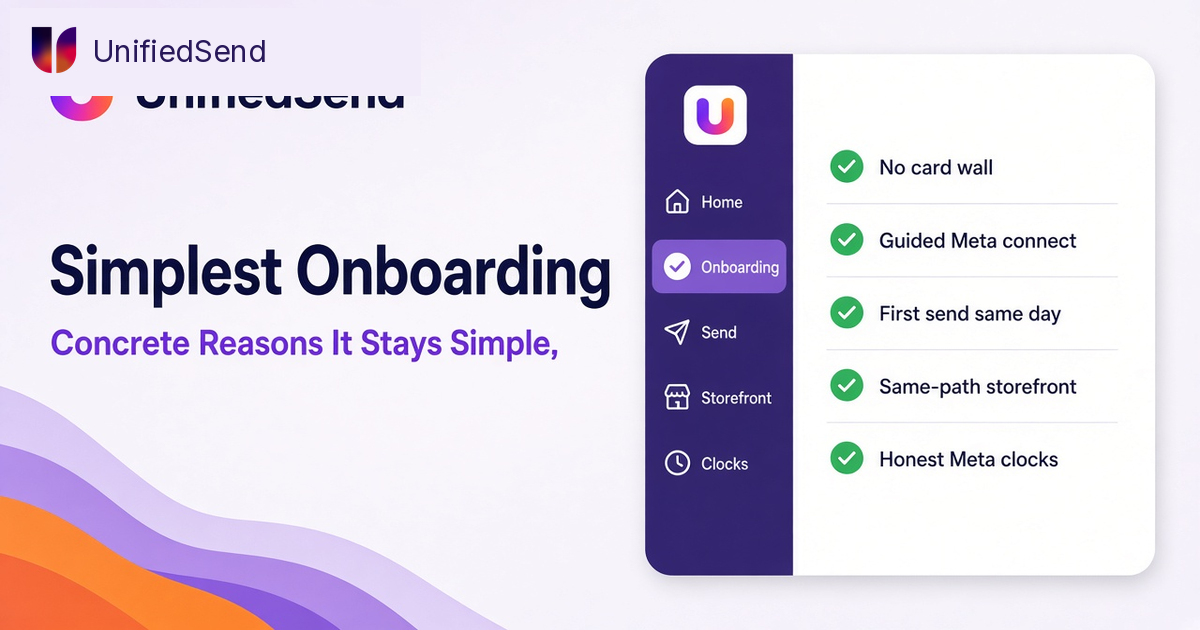
- 1. No credit card to start. You create a workspace, connect WhatsApp Business, and judge the product before you buy a plan. If you cannot open the tool without paying, you are evaluating a checkout page, not a messaging system.
- 2. No sales-call gate to try the path. Support and ops should prove a send in one sitting. Calendar invites are fine for enterprise discovery. They are the wrong default for “can we reply on WhatsApp this afternoon?”
- 3. Guided Meta / Embedded Signup style connect. You grant permissions, pick or confirm the number, finish the OTP, and leave with a connected account. No API-key spreadsheet. No ticket that says “our team will configure this next week.” Credentials belong in the product flow, not in email threads that outlive the person who set them up.
- 4. Product signup stays short even when Meta work remains. The UI and docs should distinguish “live on UnifiedSend” from “fully verified for every WhatsApp Business API use case.” Display name review, business verification, and template approval still sit on Meta’s clock. Collapsing both into one promise is how vendors overpromise and how buyers stall themselves.
- 5. Two clocks, said out loud. Clock one: workspace live, WhatsApp connected, first send possible (session reply, test to yourself, or a small utility send when a template is ready). Clock two: Meta verification, display name, broader template clearance. For the minute-by-minute product path, use the under-five post. Keep both labels in your launch notes.
- 6. Storefront and payments on the same product path. Selling should not require a second onboarding team. Connect, list what you sell, turn on payment collection, prove an order path. We covered that selling side in WhatsApp storefront and payments.
- 7. Honest status beats fake completion. A green “connected” that hides pending Meta checks creates false launch confidence. Simple onboarding shows what is done and what is still waiting, so launch plans do not rest on a timer Meta does not share.
What this list does not claim: that Meta will approve every template in five minutes, that every market’s payment rail is instant, or that messy business identity becomes clean because the UI felt quick. Policy gates stay visible. Product signup stays short. Those are different jobs.
In short: remove the gates the vendor invented, keep the gates Meta actually owns, and put selling on the same path as messaging.
| Friction you often meet | What UnifiedSend aims to remove |
|---|---|
| Card wall before the product | Start without a card |
| Sales call before a workspace | Self-serve path first |
| API keys via spreadsheet | Guided Meta connect |
| Agency week for basic send | Operator proves the pipe in one sitting |
| Commerce as a second launch | Storefront on the same path |
| One slogan for two clocks | Product vs Meta labelled clearly |
Outcome: you evaluate messaging, not theatre
When onboarding stays this shape, the daily outcome is boring in a good way.
Someone on support can open a workspace, connect WhatsApp Business, and answer a real customer thread without waiting for a provisioning email. Someone on sales can prove a follow-up without a project ticket. Someone who sells can open a small storefront without hiring a second implementer. Meta work still gets scheduled. It just stops blocking the first proof that the pipe works.
That is what “among the simplest” should mean: less invented friction, clearer clocks, and a path that matches how operators actually launch WhatsApp.
Soft next step
If onboarding stories in your inbox still sound like multi-week programmes, try the short path first and judge the checklist above for yourself.
Create a workspace on unifiedsend.com, connect your WhatsApp Business account through the guided Meta flow, and send a first message. No credit card required to start. If you sell, open the storefront on the same sitting. Then schedule the Meta verification and template work that still belongs on the second clock.
Messaging looks simple until you try to do it properly. Getting past onboarding theatre should not be the hard part.
Leave a Reply